Creating a Merchant Account via Invitation in 3PLICITY
In 3PLICITY, Merchant accounts are created through an invitation sent by a Company (3PL). This ensures that all merchants are securely linked to the company that invited them.
This guide explains what happens when you receive an invitation and how to complete your account setup.
Receiving the Invitation
When a Company invites you to join 3PLICITY:
- You will receive an email containing an “Accept Invitation” button.
- The email includes the name of the Company that invited you and your assigned merchant name.
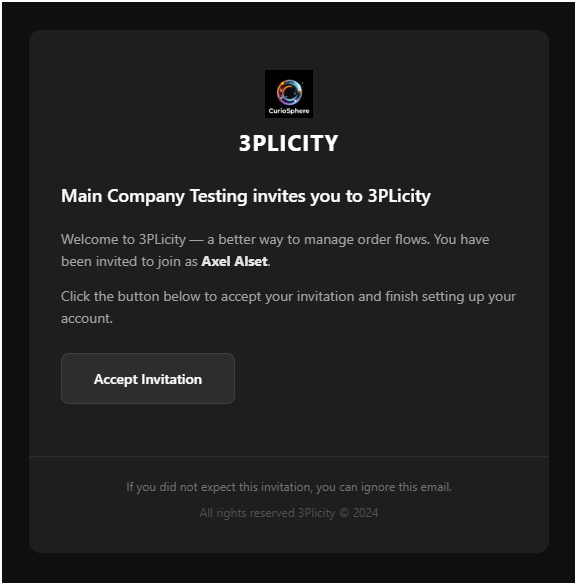
Accepting the Invitation
- Open the invitation email.
- Click Accept Invitation.
You will be redirected to the Merchant Sign Up page.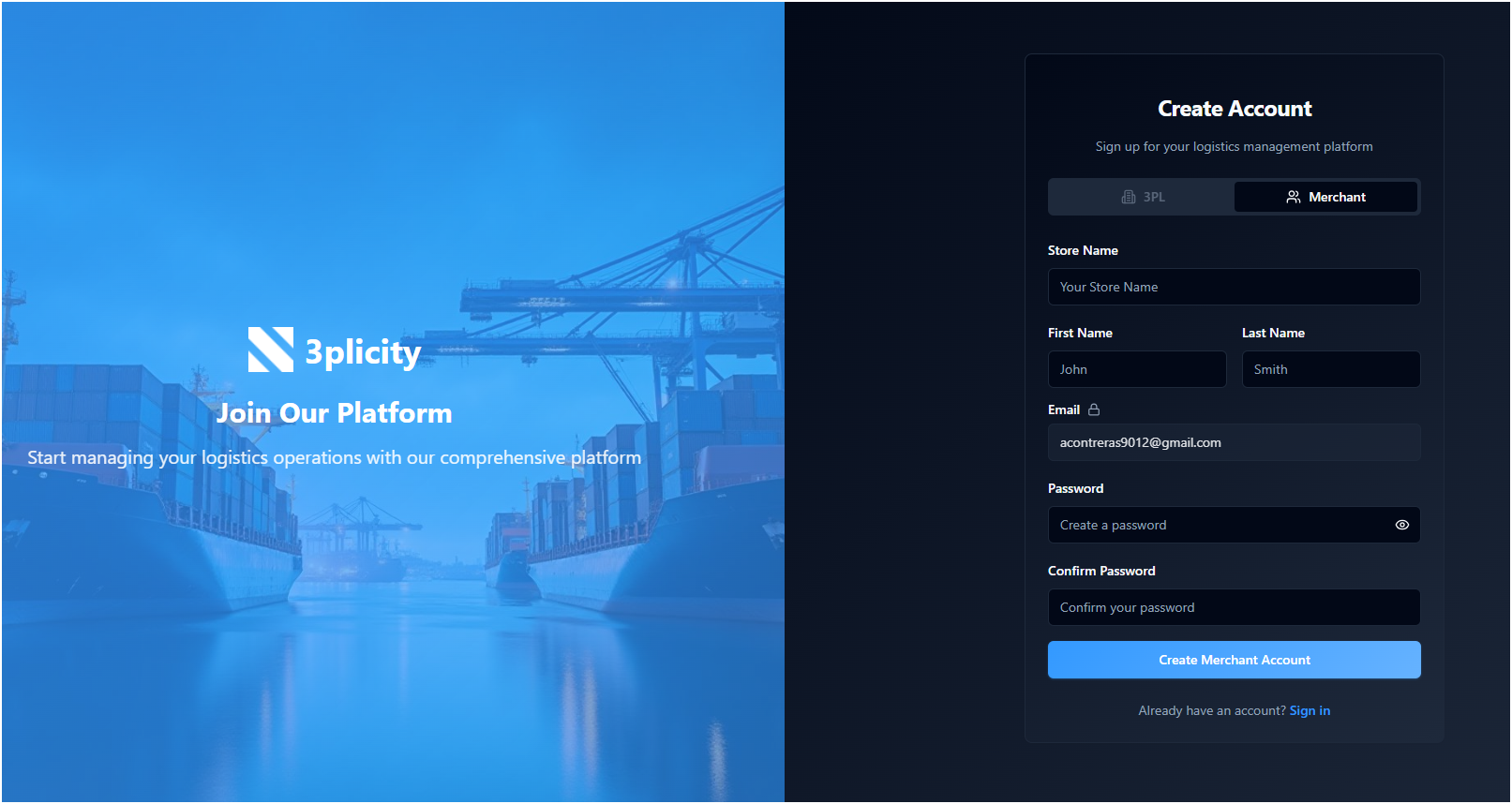
- The Merchant role is already selected and cannot be changed.
- Your email address is pre-filled and cannot be edited.
Completing Your Merchant Registration
- Fill in the required information:
- Store Name
- First Name and Last Name
- Password and Confirm Password
- Ensure your password meets the required criteria shown on the screen.
- Click Create Merchant Account.
After submitting the form, you will be redirected to the login page with a message prompting you to verify your email.
Verifying Your Account
- Check your email inbox for a verification email.
- Open the email and click Activate My Account.
You will be redirected to the login page, and your account will be confirmed successfully.
Logging In and Starting Onboarding
- Return to the login page.
- Enter your email and password.
- Click Sign In.
After logging in, you will be guided to the Merchant Onboarding process, where you can complete your account setup and configure your profile.
Account Status and Activation
- Before completing registration, your account appears as Pending in the Company’s Customers list.
- After accepting the invitation, verifying your email, and logging in, your account becomes Active.
- Your Merchant account is automatically linked to the Company that invited you.
Important Notes
- Merchant accounts can only be created through an invitation.
- The invitation link is unique to your email and cannot be reused for other accounts.
- You must verify your email before gaining full access to the platform.
This process ensures that your account is securely created, verified, and connected to the appropriate Company within 3PLICITY.
Was this article helpful?
That’s Great!
Thank you for your feedback
Sorry! We couldn't be helpful
Thank you for your feedback
Feedback sent
We appreciate your effort and will try to fix the article