Overview
3PLICITY allows Merchants to connect their external sales channels and manage incoming orders directly from the platform.
Through the Integrations section, Merchants can connect supported platforms such as Amazon and TikTok. Once an integration is authorized, orders placed through the connected store can be received and managed through the Sales Orders section in 3PLICITY.
The integration connects the external store with 3PLICITY, allowing order information to flow into the platform while shipping information can be added back to the corresponding Sales Order.
This can be done either from the merchant's onboarding process, or from the settings panel.
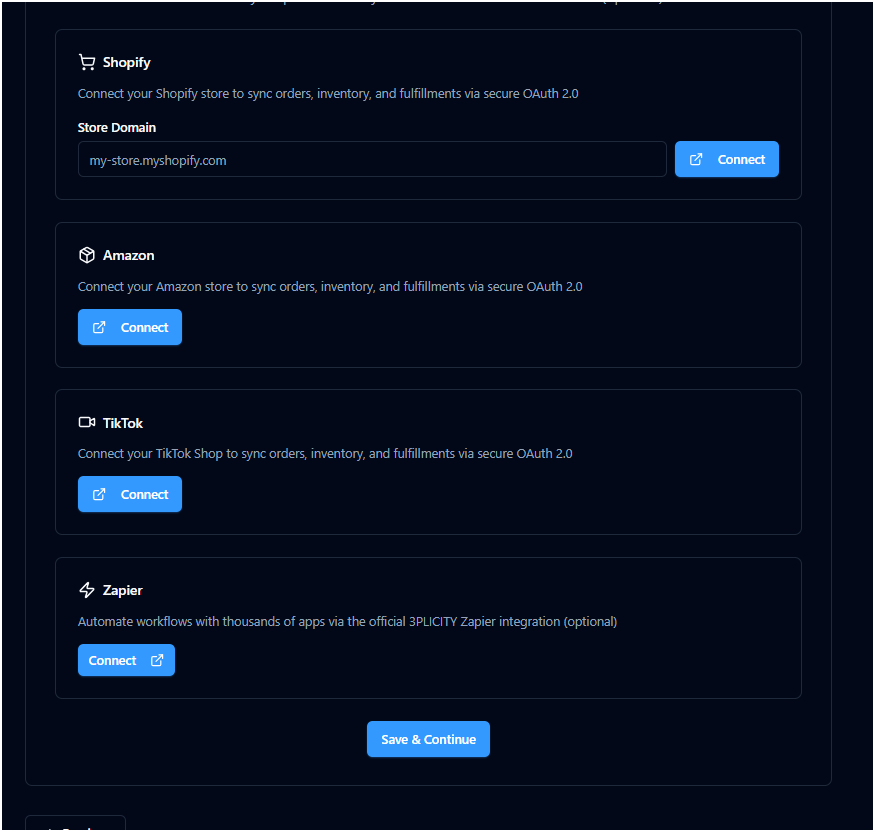 | 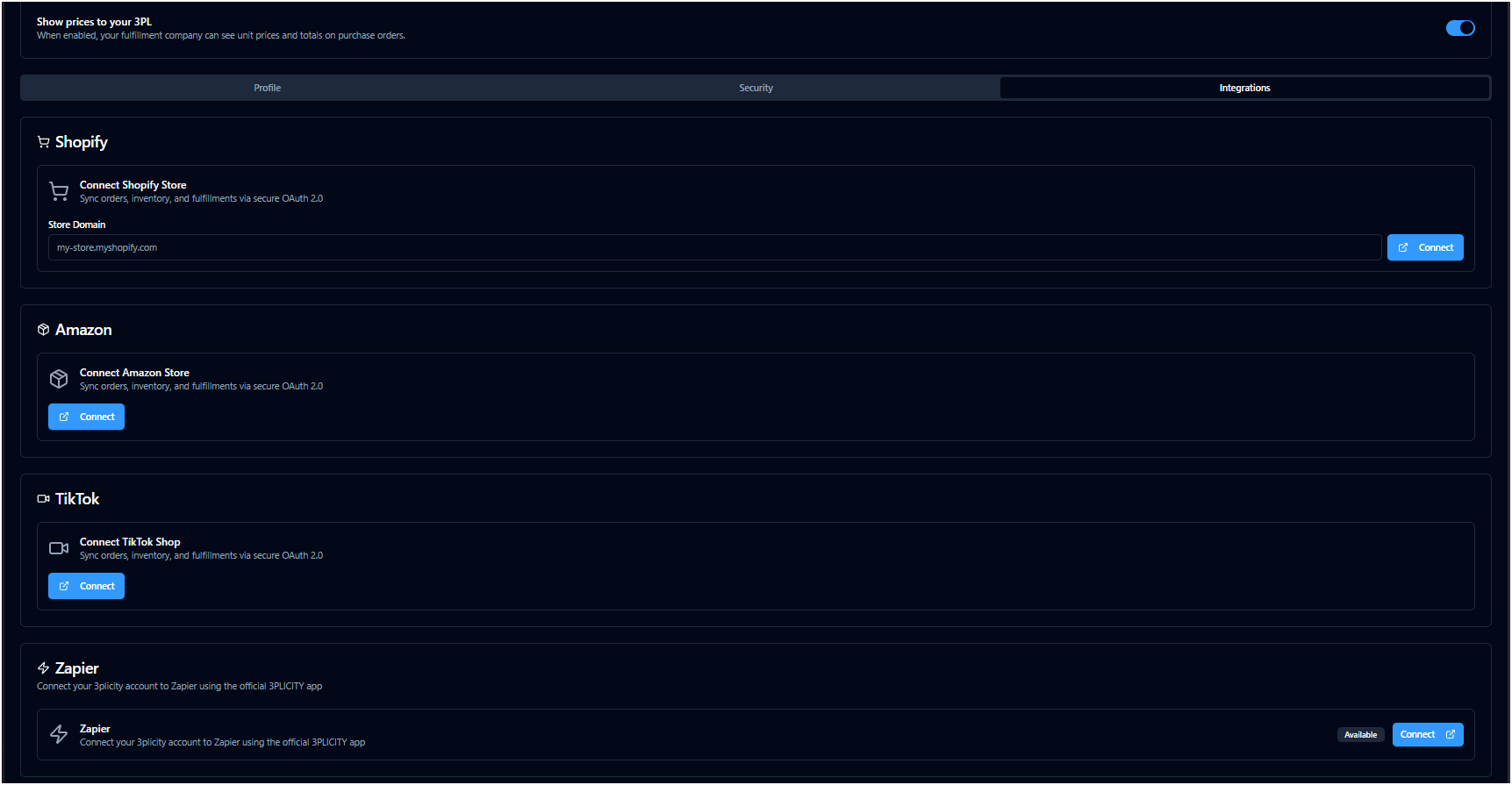 |
Connecting a TikTok Store
To connect a TikTok store to 3PLICITY:
Log in to your Merchant account.
Navigate to Settings.
Select the Integrations tab.
Locate TikTok from the list of available integrations.
Select Connect.
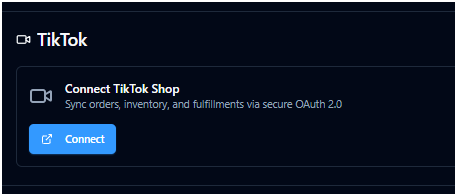
3PLICITY redirects you to the TikTok Shop authorization page.
You must have an active session in your TikTok Shop account to continue.
Authorizing the TikTok Integration
The TikTok authorization page displays the information required to connect your store with 3PLICITY.
Review and complete the following information:
Confirm the TikTok store you want to connect.
Confirm the partner application, which is 3PLICITY.
Select the authorization duration.
For this example, select Unlimited.
Complete the required information in the authorization form.
Select Confirm to Install.
Review the requested permissions.
Authorize the integration.
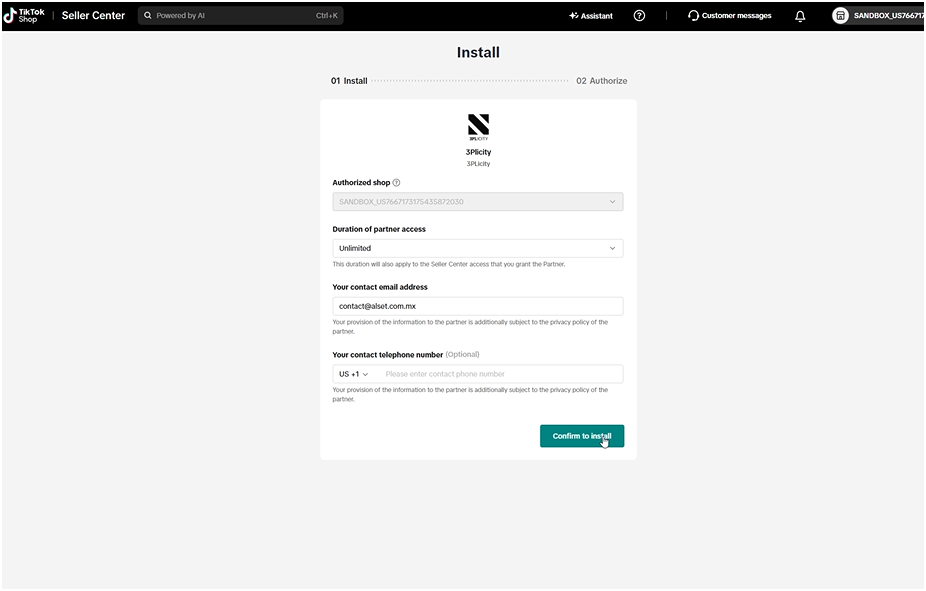
Once authorization is completed, TikTok displays the integration as Authorized and redirects you back to 3PLICITY.
Confirming the Connection
After returning to 3PLICITY:
Navigate to Settings.
Select Integrations.
Locate TikTok.

The TikTok integration is now displayed as Connected, indicating that the store has been successfully linked to your 3PLICITY Merchant account.
Receiving TikTok Orders in 3PLICITY
Once the TikTok integration is connected, orders placed through the connected TikTok store can be received in 3PLICITY.
To view incoming orders:
Navigate to Sales Orders.
Open the Pending section.
Locate the order received from your TikTok store.
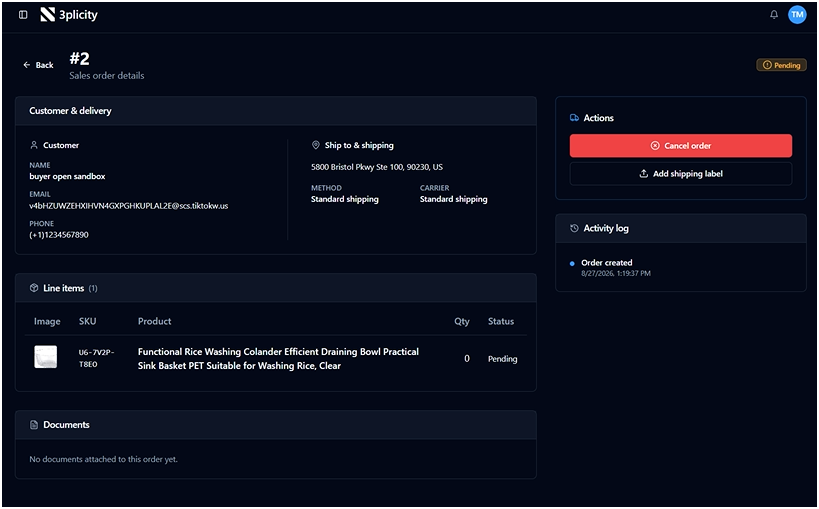
Open the order to view its details.
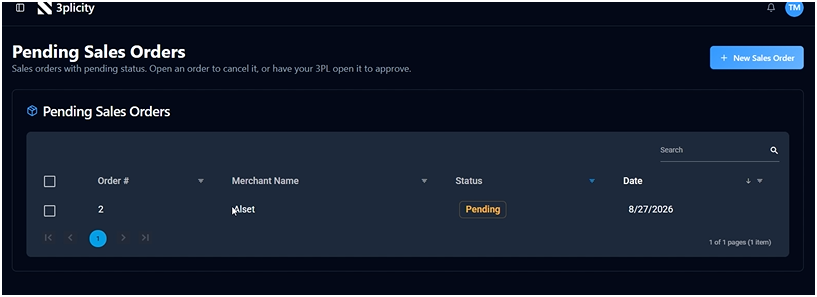
The Sales Order provides the information received from the external store, allowing you to review the customer, shipping information, items, and other order details before continuing with the fulfillment process.
Preparing a TikTok Order for Shipment
Shipping information is managed through your TikTok Shop account.
To prepare an order for shipment:
Sign in to your TikTok Shop account.
Navigate to your order management section.
Locate the order received from the connected store.
Select Arrange Shipment.
Prepare the shipping information according to your shipping process.
Generate the required Shipping Label and Packing Slip, when applicable.
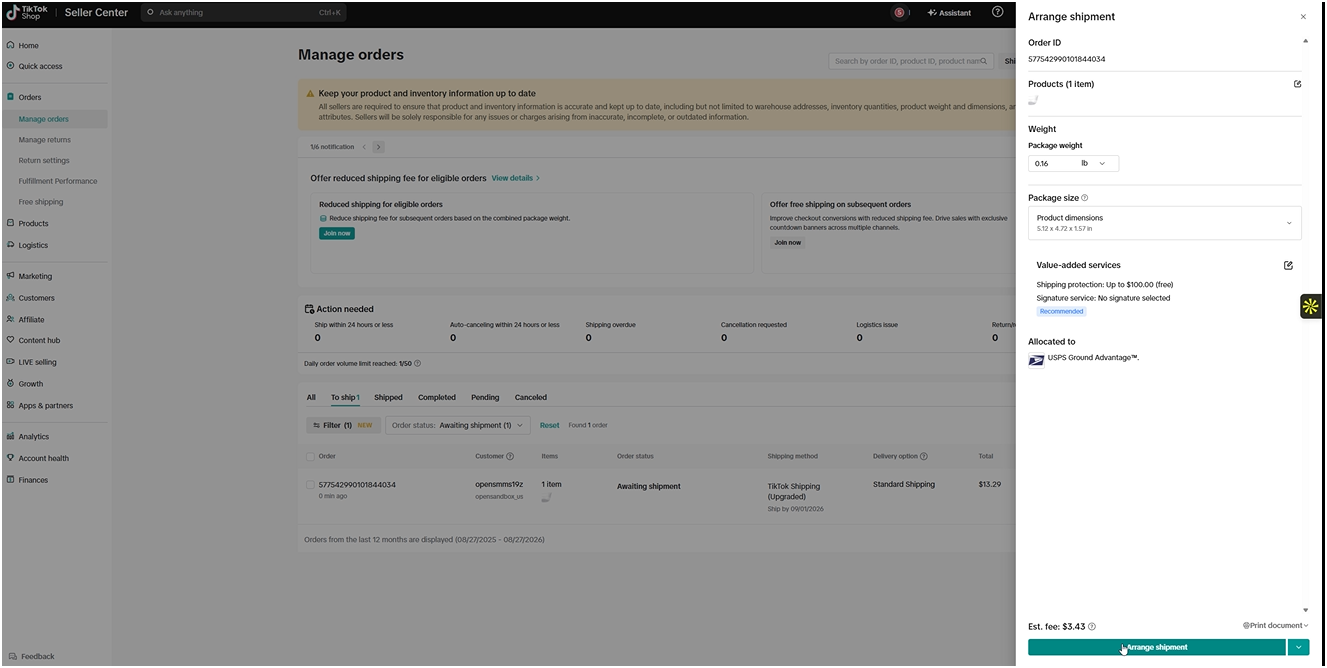
Once the shipping information is available, you can return to the corresponding Sales Order in 3PLICITY.
Adding Shipping Information to the Sales Order
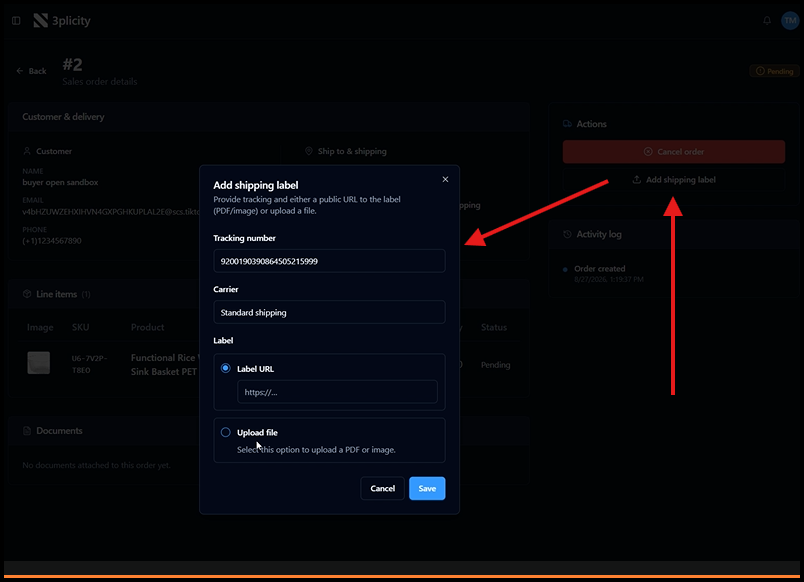
You can add the shipping information generated by TikTok to the corresponding Sales Order in 3PLICITY.
Depending on the information available from the external platform, you can:
Upload the Shipping Label to the Sales Order.
Add the Tracking Number provided by the carrier or sales platform.
The shipping information is associated with the Sales Order and can be used during the fulfillment and shipping process.
For more information about uploading and processing shipping labels, see Sales Orders: Packing Slips and Shipping Labels.
Connecting an Amazon Store
The Amazon integration follows a similar process.
To connect an Amazon store:
Log in to your Merchant account.
Navigate to Settings.
Select the Integrations tab.
Locate Amazon.
Select Connect.
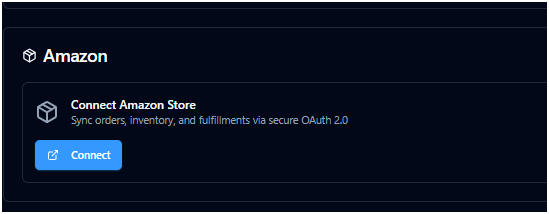
3PLICITY redirects you to the Amazon authorization process, where you can sign in to your Amazon account and authorize the connection between your store and 3PLICITY.
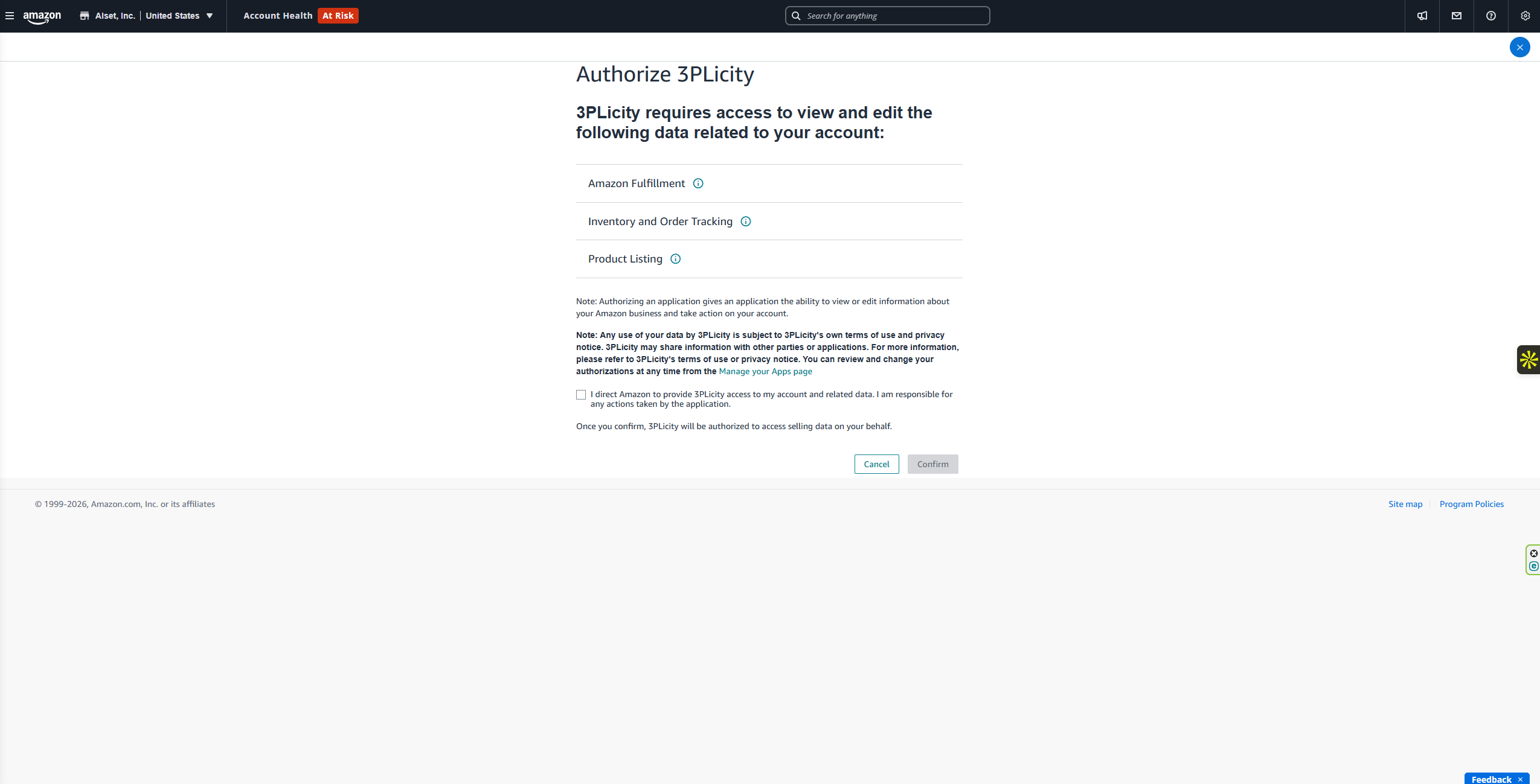
Follow the instructions provided by Amazon to complete the authorization.
Once the authorization is completed, you are redirected back to 3PLICITY.
Confirming the Amazon Connection
After returning to 3PLICITY:
Navigate to Settings.
Select Integrations.
Locate Amazon.
The integration is displayed as Connected once the store has been successfully linked.

Receiving Amazon Orders in 3PLICITY
After connecting your Amazon store, orders from the connected store can be received in 3PLICITY.
To view them:
Navigate to Sales Orders.
Open the Pending section.
Locate the incoming Amazon order.
Open the order to review its details.
The order information received from Amazon is available in the Sales Order and can be used to continue the order management and fulfillment process.
Managing Amazon Shipping Information
Shipping information can be prepared through your Amazon account according to the order's fulfillment requirements.
When the required shipping information is available, return to the corresponding Sales Order in 3PLICITY and add the shipping information by uploading the Shipping Label or entering the provided Tracking Number, as applicable.
This allows the shipping information generated through the external sales channel to remain associated with the corresponding order in 3PLICITY.
Integration Workflow
Once Amazon or TikTok is connected, the general workflow is:
External Store → 3PLICITY → Sales Orders → Fulfillment → Shipping
Orders created through the connected store become available in Sales Orders, where they can be reviewed and managed.
Shipping information generated through the external platform can then be associated with the corresponding 3PLICITY Sales Order, allowing the order to continue through the fulfillment and shipping workflow.
This integration provides Merchants with a centralized view of orders from connected sales channels while maintaining the connection between the external store, order information, and shipping details.
Was this article helpful?
That’s Great!
Thank you for your feedback
Sorry! We couldn't be helpful
Thank you for your feedback
Feedback sent
We appreciate your effort and will try to fix the article
