Inviting Customers During Onboarding in 3PLICITY
During the onboarding process, 3PLICITY allows you to invite your customers (merchants) to join the platform. You can add them individually or upload multiple entries at once.
Accessing the Customer Invite Section
After starting the Sign Up process and completing the initial onboarding steps, you will reach the Customer Invite section.
This section allows you to add customers who will receive an email invitation to create their Merchant accounts.
Inviting Customers Manually
- In the Customer Invite section, locate the fields for Merchant Name and Email.
- Enter the customer’s name and email address.
- Click Add Merchant.
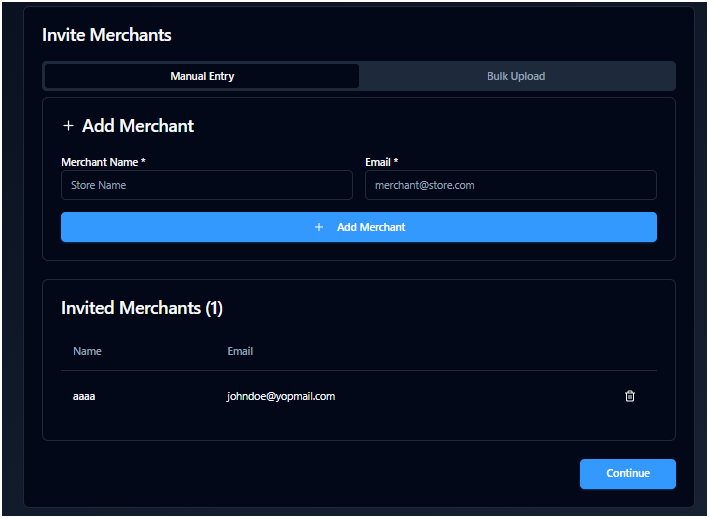
The customer will be added to the Invitation List, where you can review all invited users.
You can repeat this process to add as many customers as needed. Each new entry will appear in the list.
Sending Invitations
Once you have added all desired customers:
- Click Continue or Next Step.
The system will automatically send invitation emails to all customers in the list and take you to the next step of onboarding.
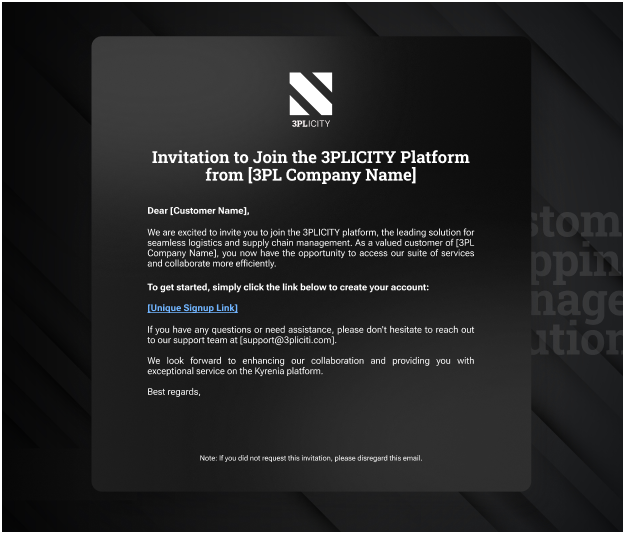
Each invited customer will receive an email containing a link to join the platform.
Customer Experience After Invitation
When a customer opens the invitation email:
- They will find a link to join 3PLICITY.
- Clicking the link will redirect them to the Merchant Sign Up page.
- From there, they can complete their registration and create their account.
Inviting Customers Using Bulk Upload
If you need to invite multiple customers at once, you can use the Bulk Upload option.
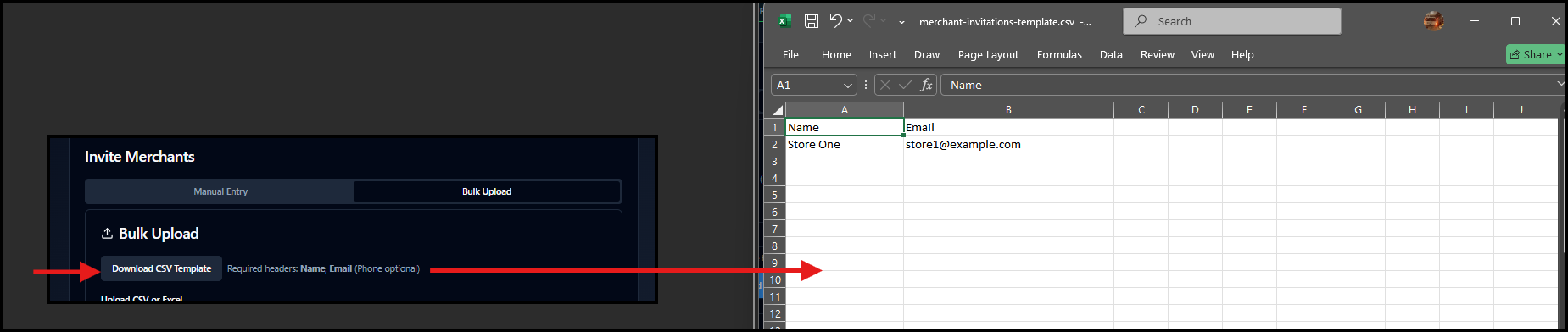
- Click on Bulk Upload within the Customer Invite section.
- Download the provided CSV template.
- Fill in the required fields (such as Merchant Name and Email) in the file.
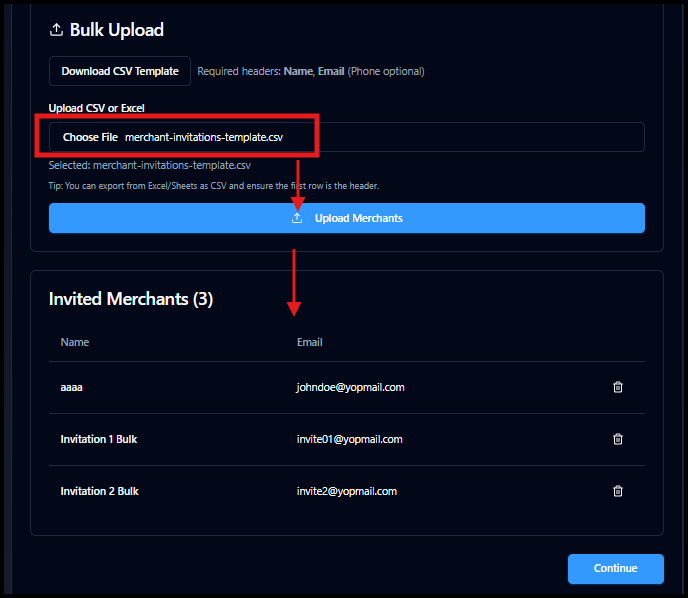
- Upload the completed file using the upload option.
- Click Upload Merchants.
The system will process the file and display the uploaded customers in the Invitation List.
Managing the Invitation List
- You can review all added customers in the Invitation List before sending invitations.
- If needed, you can remove any entry using the Delete option.
Completing the Process
After confirming your list:
- Click Continue or Next Step.
Invitation emails will be sent to all listed customers, allowing them to access the platform and create their Merchant accounts.
Was this article helpful?
That’s Great!
Thank you for your feedback
Sorry! We couldn't be helpful
Thank you for your feedback
Feedback sent
We appreciate your effort and will try to fix the article