Soporte al cliente
Abre la página de Stadiobet e inicia sesión.
Haz click en el ícono de Chat en la esquina superior derecha.
Esto abrirá directamente el chat automatizado de Customer Support.
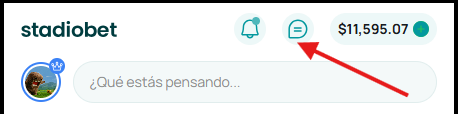
Selecciona el ícono de chat en la parte inferior izquierda (botón verde)
Se abrirá un chat con un guía rápido y un Bot de soporte que inicia la conversación solicitando tu nombre.
Interactúa con el Bot:
Selecciona las opciones que necesites para recibir ayuda.
Escribe mensajes en la caja de texto y toca Enviar.
Para acceder desde la configuración:
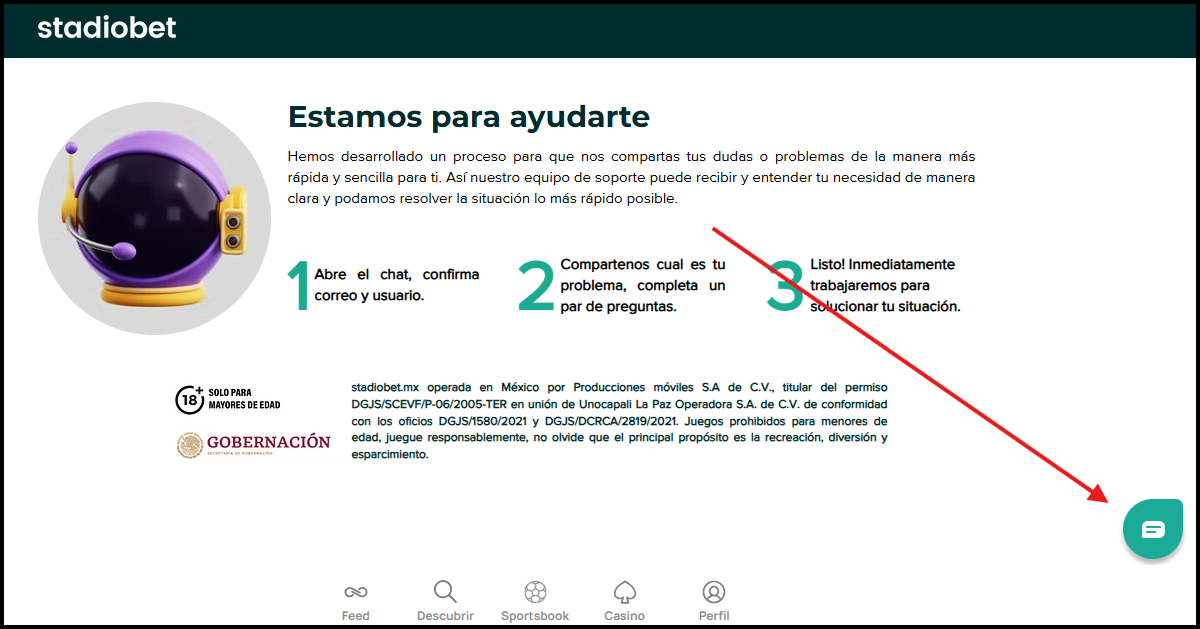
Ve a Perfil > Ajustes > Soporte de Clientes
Se mostrará un guía rápido con tres pasos y podrás iniciar nuevamente el chat desde el ícono inferior derecho.
Puedes enviar mensajes, recibir respuestas del Bot y utilizar la asistencia disponible en tiempo real.
Was this article helpful?
That’s Great!
Thank you for your feedback
Sorry! We couldn't be helpful
Thank you for your feedback
Feedback sent
We appreciate your effort and will try to fix the article